Are you getting the most out of Membership builder?
Membership builder is the tool provided to sections and chapters that allows officers to dig a bit deeper into their membership statistics. It links directly to SPE’s membership management software.
Sections can not only access their own professional members’ data, but also that of the student chapters they sponsor.
New members – finding them
It all starts with recruitment. Understanding your membership demographics can help you find new members. SPE offers a range of member benefits, and sections play an essential role in building up on the programs and services offered through SPE and customizing them to suit the needs of their local group. Identifying the key companies in your local area, which are represented by your current members, can provide further insight in potential areas of membership growth. If a specific company has a large base in the area, but only a few company employees are members of your section, then this may be a potential area for growth to explore. Membership Builder allows a quick and easy breakdown of companies represented amongst your membership. You can access this through the 1. Section Dashboard report, under the 'Professionals by Employer (Top 12)' table.
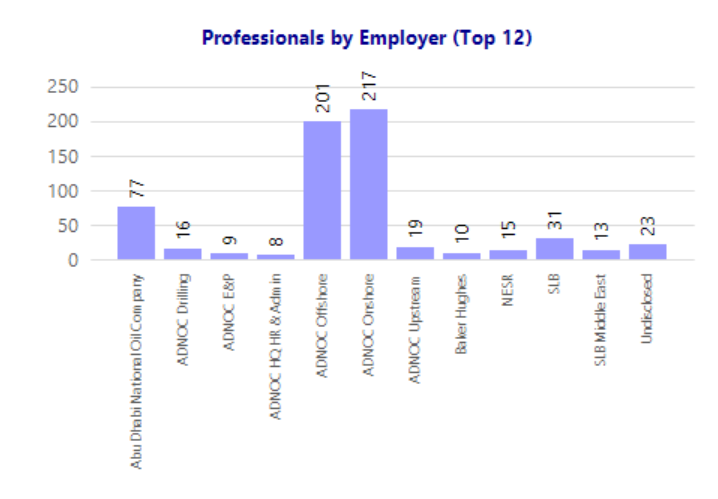
Understanding the diversity in your member demographics, such as age group and technical discipline, is important to ensure your programs and services are tailored to fit the needs of these different groups. Likewise, it can also encourage your section to explore groups of potential members which may otherwise have not been considered.
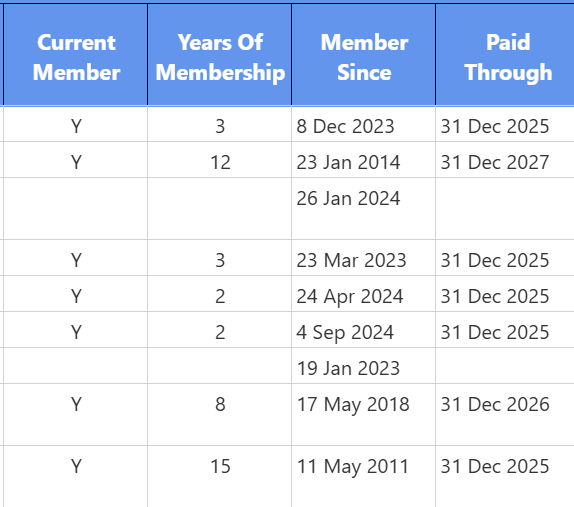
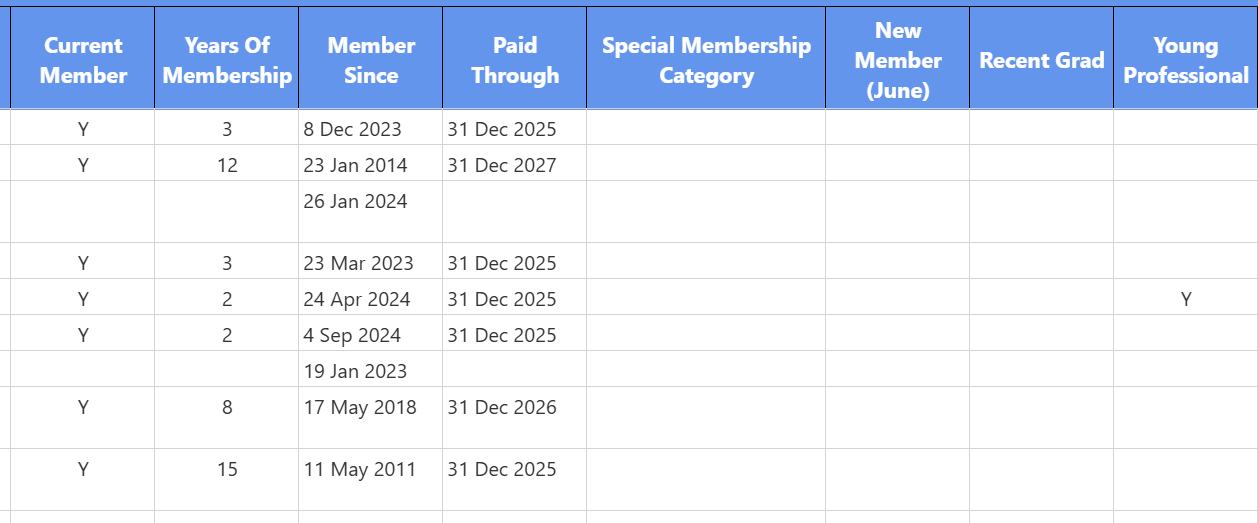
Lapsed member might be an ‘easy win’ for getting your membership numbers back up. They were once a member and may have simply forgotten to renew their membership. You can easily identify those members who have not renewed, by running the 1a. Section Professionals: Members report and identifying those who do not have "Y" listed in the ‘Current Member’ column.
New members - keeping them
Finding good members is one thing, but keeping them will be the next challenge. Engaging and supporting your members is where the work really starts. Similar to recruiting new members, current members are going to stay involved if they feel the membership value is personalized for them. A student member will have very different needs to a senior faculty representative, and therefore it is crucial to continuously investigate your members’ needs and interests. Also think about recent industry impacts and trends and how their needs might have changed as a result.
Even with a fantastic and highly personalized member engagement plan in place, there is undoubtedly going to be a need for the occasional reminder. Membership Builder allows you to easily identify unpaid people so that any renewal campaign can be targeted. Digging a bit deeper into the report allows you to identify the individuals, and depending on the size of your section, you may well be in the position to even do some face to face reminders for those individuals you know personally.
The same goes for any new members who have joined. Being able to identify these individuals through Membership Builder means that you can welcome them either through a personalized welcome email and/or in person at an upcoming section event.
Health check your section and start looking for long term trends
It is good practice to build up awareness in terms of how your section is doing compared to the prior year. This is easily visible using the 1. Section Dashboard report which shows both Year-to-Date as well as Previous Year-End figures for retention and total membership.
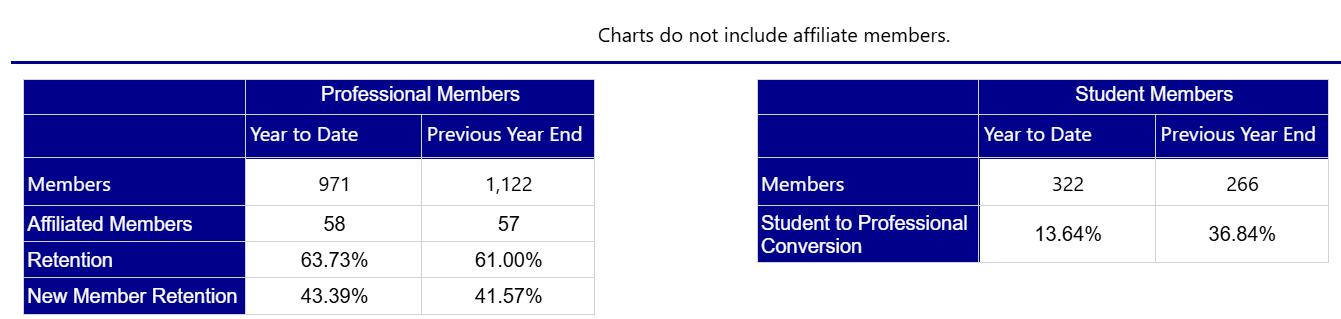
Compare your own figures against previous performance - with the aim to maintain or increase growth, retention, and student to professional member conversion in the long term.
The 1. Section Dashboard report shows current members and renewed members month by month - which can be useful to identify what times of the year you experience the highest turnover.
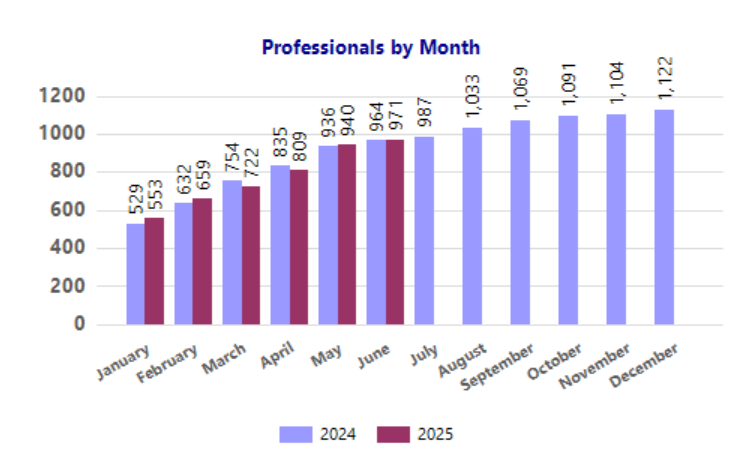
To get a better picture of the overall health and performance of a section, it is advised to look at longer terms to identify any year on year trends that way. Thus, if your section isn’t already, make it a habit to report on the membership demographics and statistics during section meetings and record these consistently. This way, long term trends can be identified accordingly, and you can start planning ahead for the future of the section and its membership.
A full Membership Builder User Guide can be found in the Connect library.
How does your section use Membership Builder and membership data? Do share your thoughts and experiences with us.